Demersus Devlog #15 - Creating the Plate Puzzle, IRL Asset test, Fixing Standalone Build Bugs, Unity's DX12 Bug Response, New Milestones And More
The process of creating the initial plate puzzle (for the wife sequence), a first test of an 'IRL' asset, fixing elusive standalone build bugs, small Lore Inspect improvements, Unity's response to the DirectX 12 G-SYNC bug and new milestones.
- reading time
- 13 minutes
- published
- authors
- Eryk Darnowski
- series
- Demersus Devlogs
- categories
- Game Development
- tags
- #Ztgk #Unity
Crafting the Plate Puzzle and What I Learned
As always, I started out with jotting down a little plan or TODO list of the main things that need to get done and then the fun begun.
Temporary Models
Remember to save the texture files aside from the Blender project itself (I lost the first rendition of the drawing to a crash because I forgot about this)!
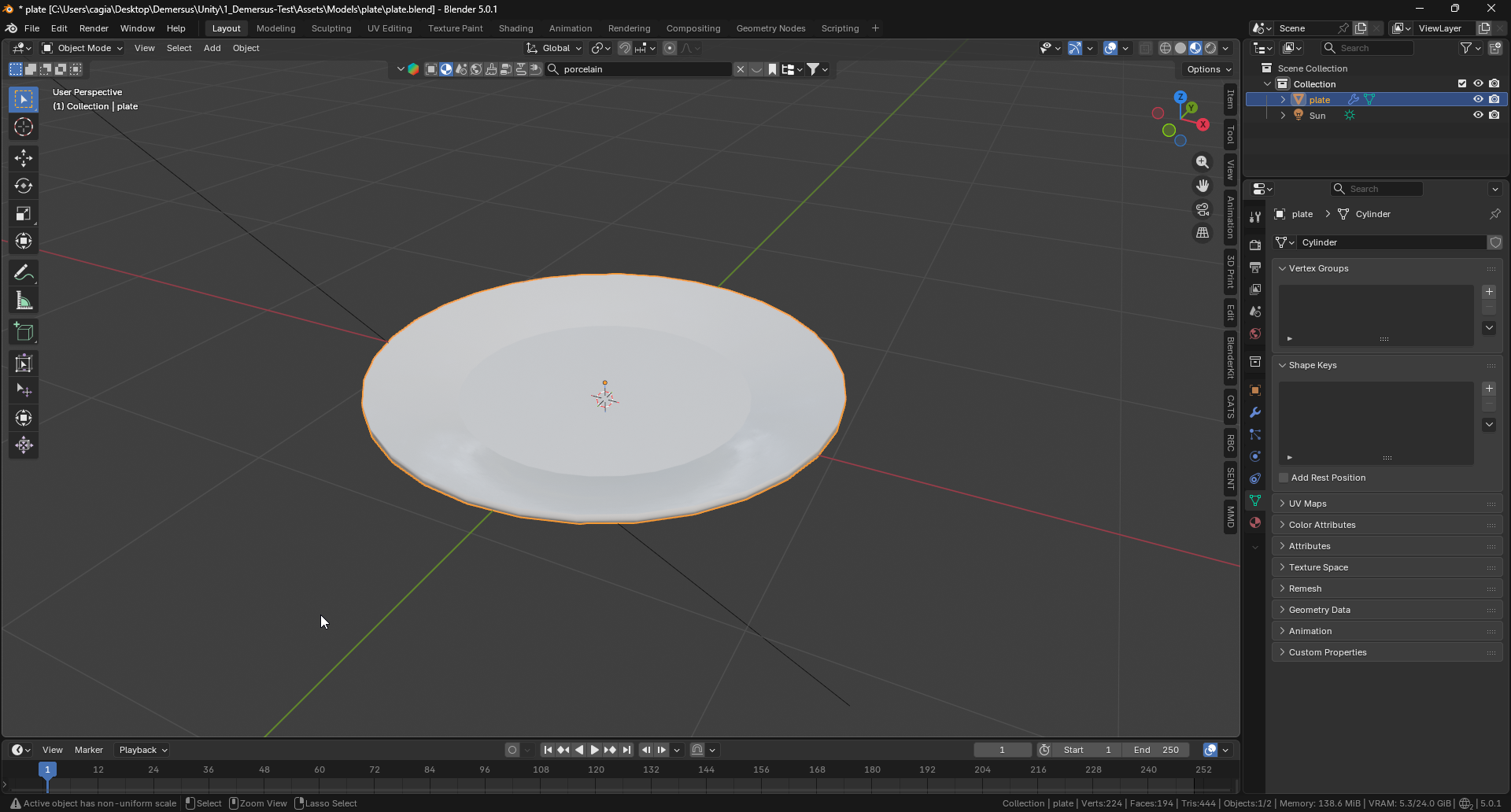
The first thing I started out with were the temporary 3D models, I didn’t spend time on making a different table as it will be swapped really soon enough anyway, so I just reused the phone puzzle one. With that out of the way, I moved on to the plate which I quickly modeled in Blender:
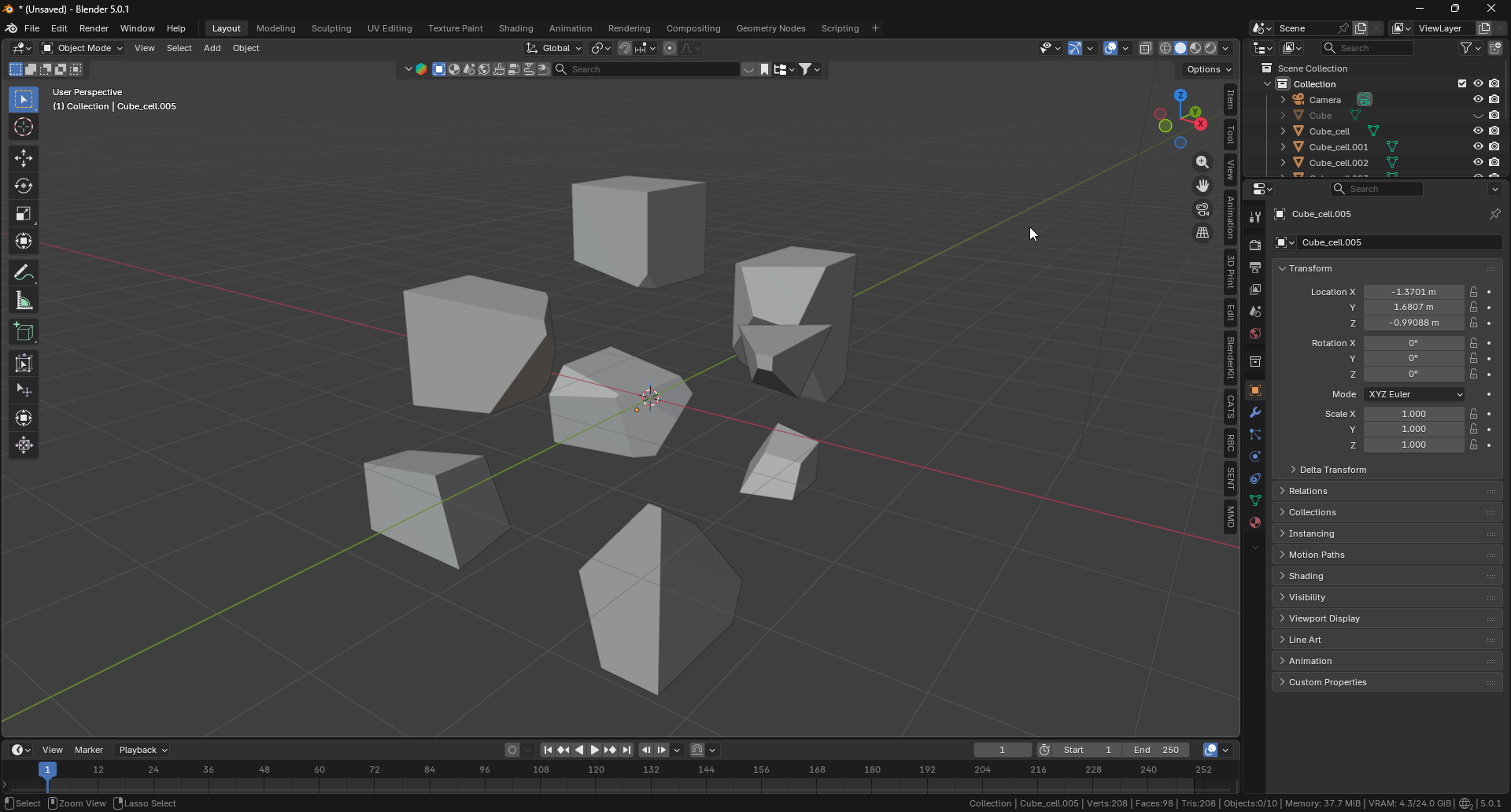
After that was done I did some research in to how I could break it in to pieces. The first thing to caught my eye was Blender’s Cell Fracture add-on. I immediately started playing around with it and testing stuff out:
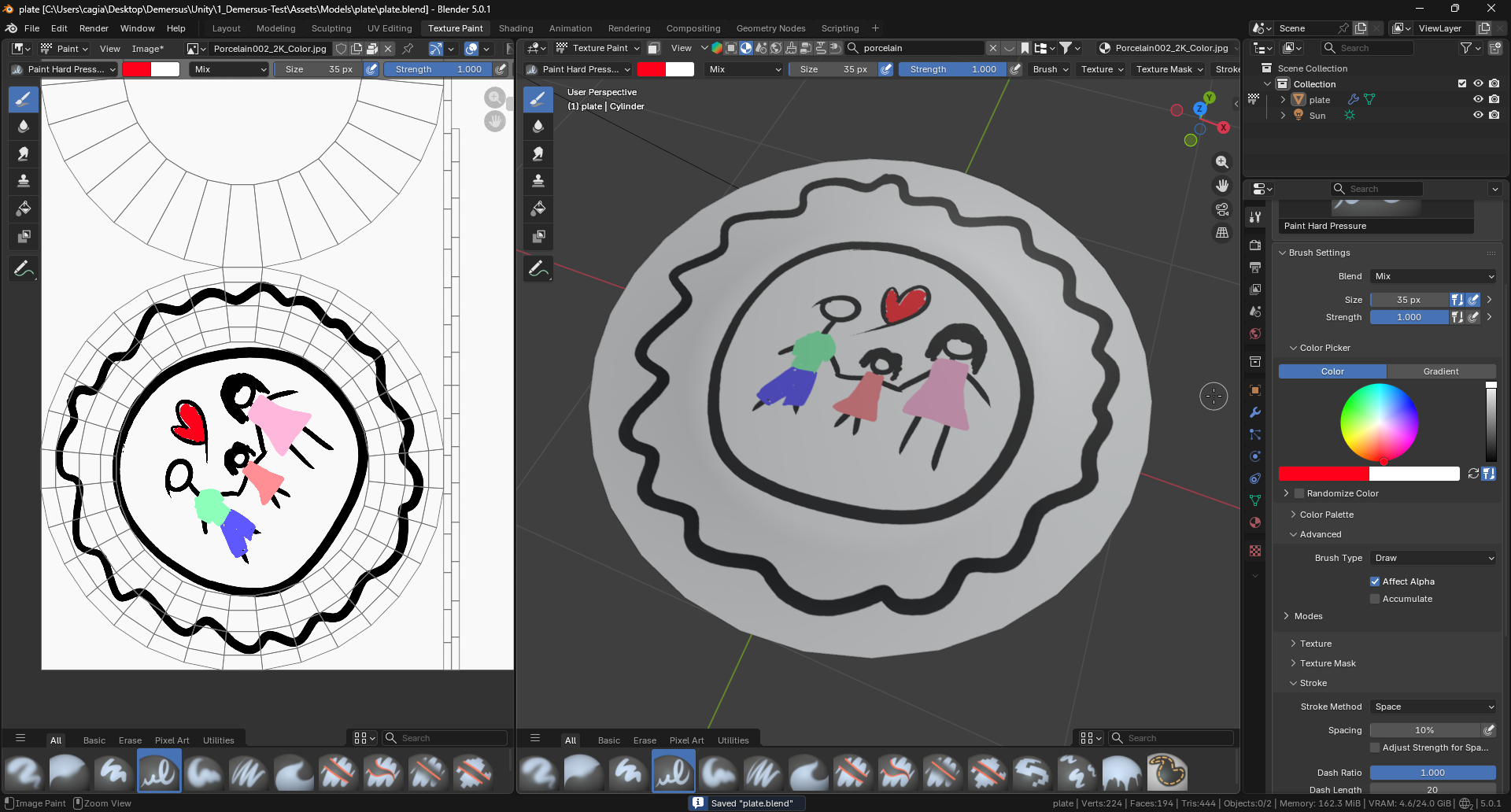
Next I moved on to creating an initial drawing texture on the plate’s surface. This is meant to serve two purposes, first it’s story exposition and second it takes on the role of a sort of map to allow the player to put the plate’s pieces together:
Then I moved on to actually breaking the plate. Even though I did some testing with Cell Fracture previously, I felt pretty lost when using it, it was pretty hard to see changes when messing with the values and it was hard to get a decent result. The two things I’ve struggled with the most were:
- very small pieces (hard to find / click and didn’t carry the drawing)
- pieces in the Z direction (I needed a sort of cookie cutter effect instead)
The good thing about it however, is that it automatically re-centers each piece’s origin to it’s center of mass so it won’t cause issues in engine.
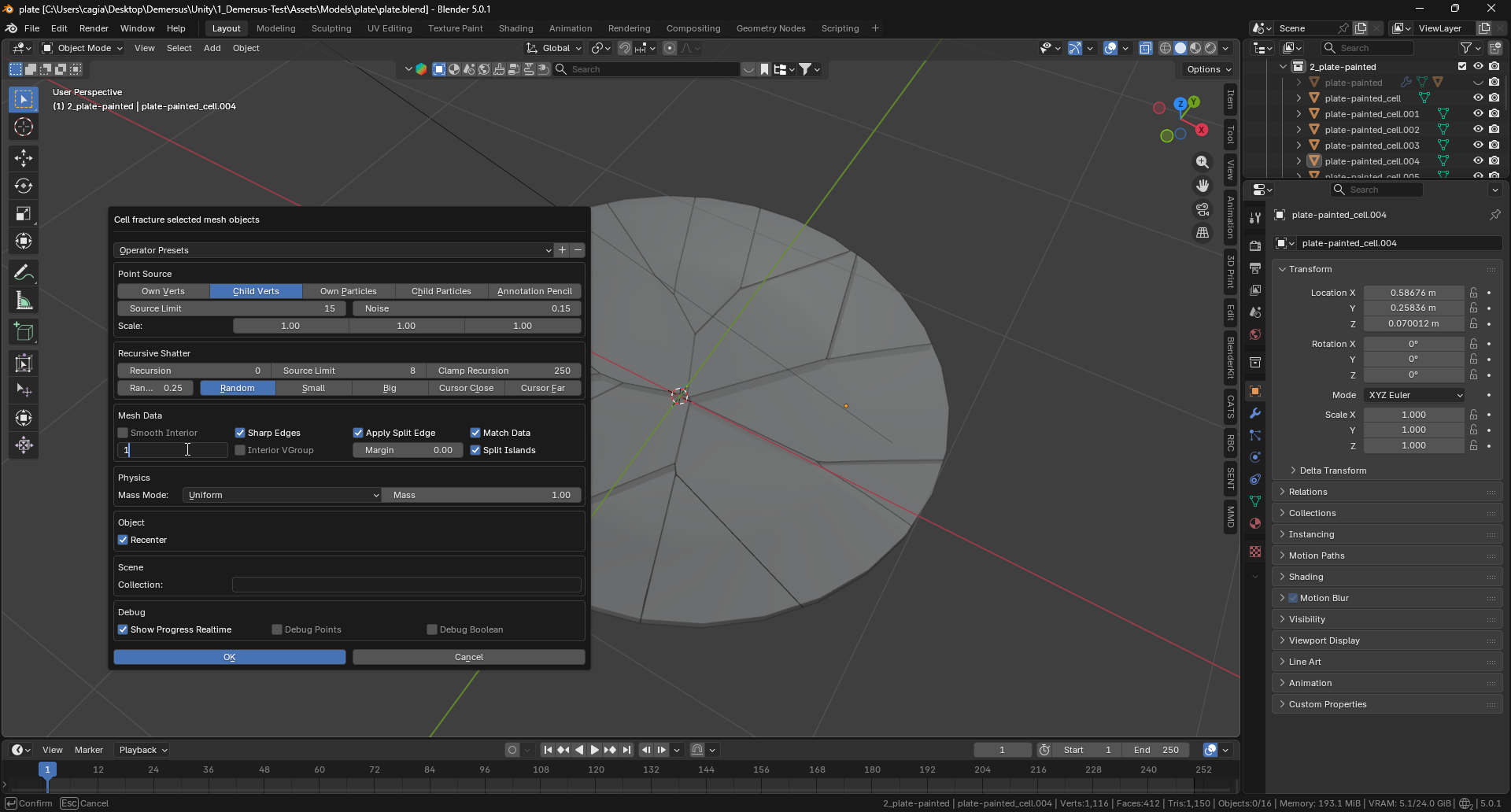
After some experimentation I figured out that I would get the most consistent results (although I still had to run it a bunch of times to get something useful) by creating a circle of a certain complexity, parenting it to the plate and using these settings:
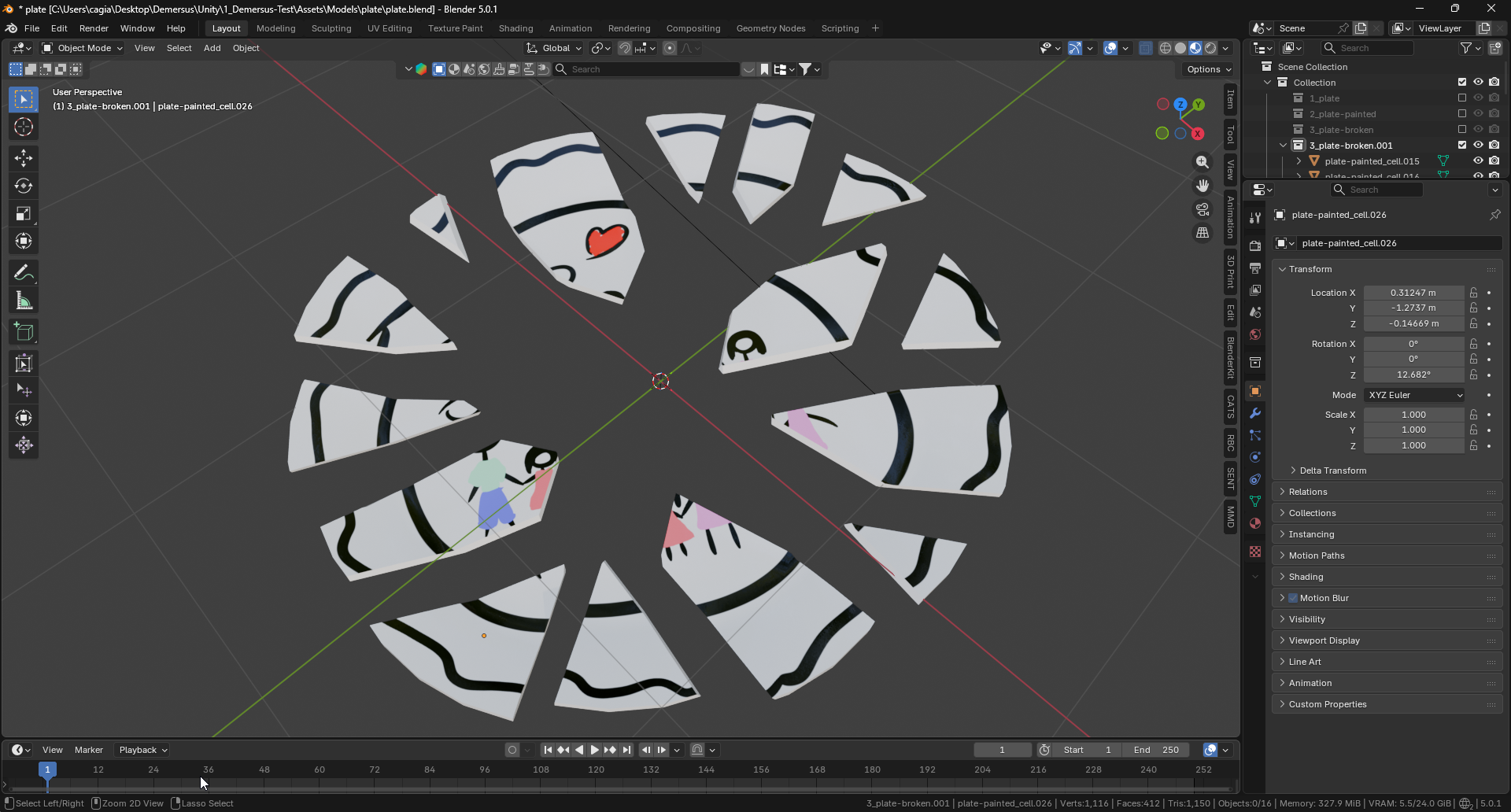
With everything done, here is how the model turned out:
Interaction and Puzzle Camera
I had to do a few minor changes to the player puzzle interaction script as it was slightly attached to the phone puzzle. After that I implemented player and gaze detection, a puzzle camera and the above mentioned interaction script (which was all previously created for the phone puzzle).
Starting Piece
The journey to place the starting plate piece starts in Blender. Each piece needs to be properly named (one after the other) for the script to recognized how which ones are neighbours:
Then, the model and textures get imported and setup in Unity:
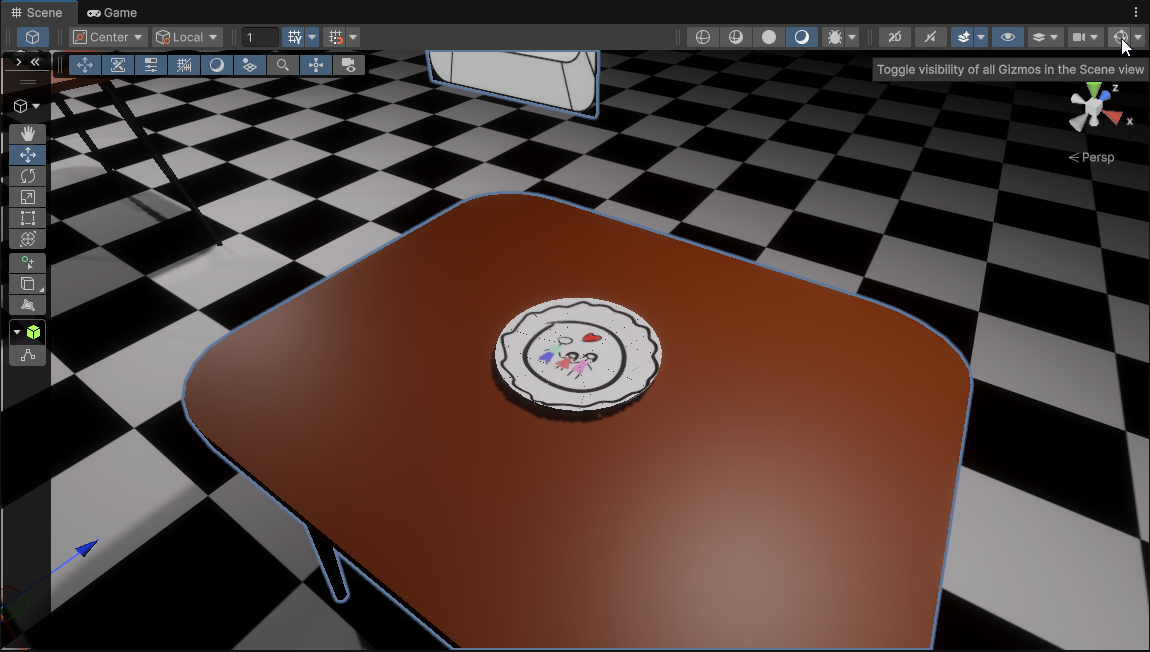
Next a piece gets chosen at random as the starting one.
Placement of Pieces
Now it’s time to ‘place’ or more accurately scatter the pieces on the table. This is done, by first creating a rectangular plane with an offset (so it can be nicely dialed in with the table), within which, (after caching their transforms and rotations) each piece gets placed randomly one by one. After each placement the rotation gets randomized and a ‘collision radius’ of the piece is saved so another one won’t be put on top of it. If a piece cannot find a spot, it tries again up to a certain amount of times.
Piece Place Animation and Interactivity
The place animations started out as a janky, robotic set lerps which later on, (after some more research) turned in to a polished Cubic Bezier arc with four control points. This makes the piece smoothly glides between the rise, travel and place states, while the rotation is animated with a Quaternion Lerp .
Next I added mouse click detection and hover (with selection outlines) via ray casts and after that a debug display was also introduced:
Sounds and Voice Lines
In order to make the plate puzzle more life-like I recorded an assortment of plate sounds for placing the pieces:
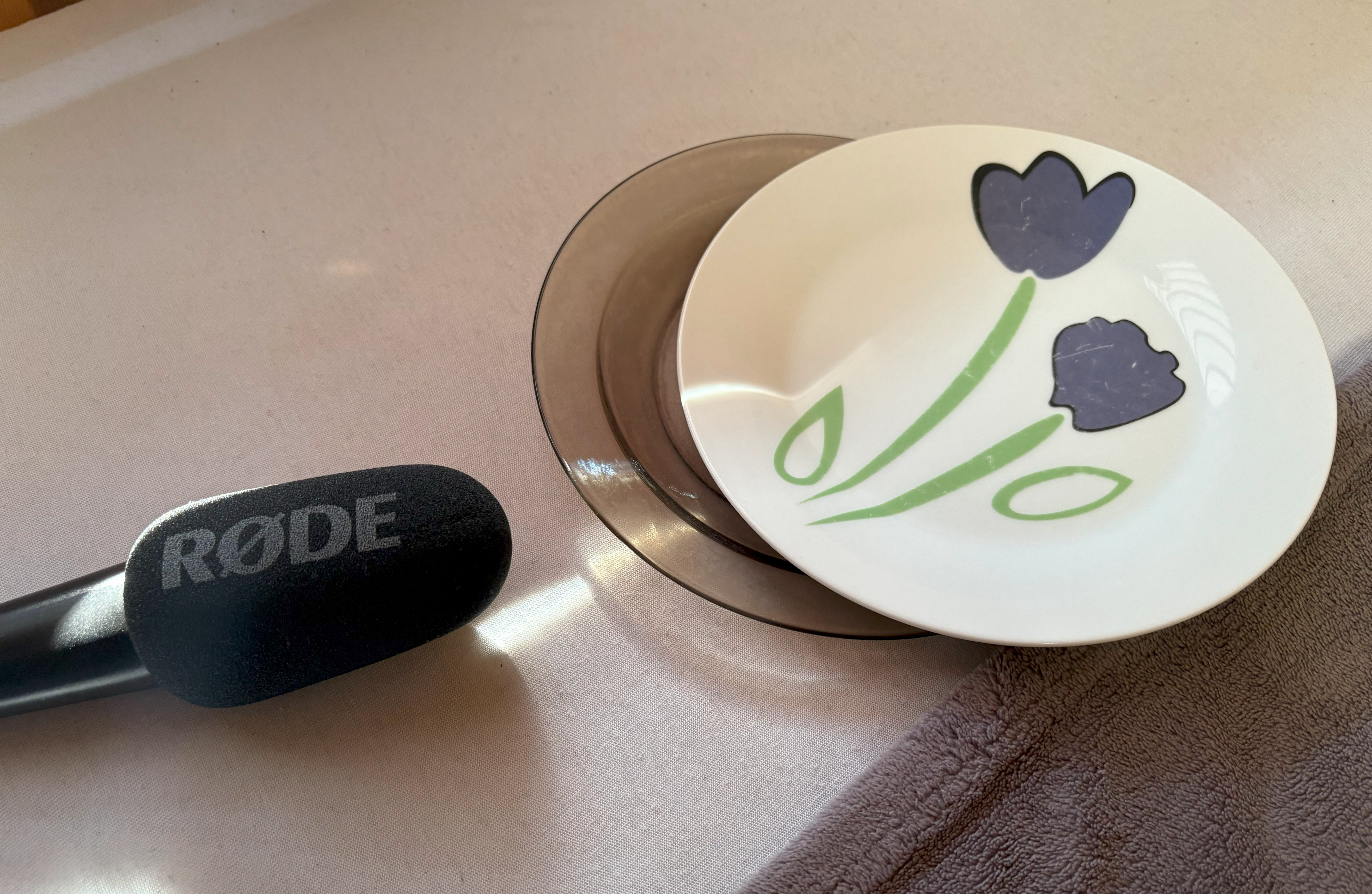
(no plates were harmed in the making of this game… yet)
I reused the generic ‘fail’ voice lines that were initially recorded for the phone puzzle and made all of the sounds play randomly (I also added configurable delays to sync them better with what’s happening on the screen):
Distractions Pieces
Next up was the implementation of the ‘distraction pieces’ (these are simply blank plate pieces to make the puzzle look more realistic more than anything else). The first step of doing this was running Cell Fracture a few more times to create more broken plate models (the piece naming here doesn’t matter as these only get scattered):
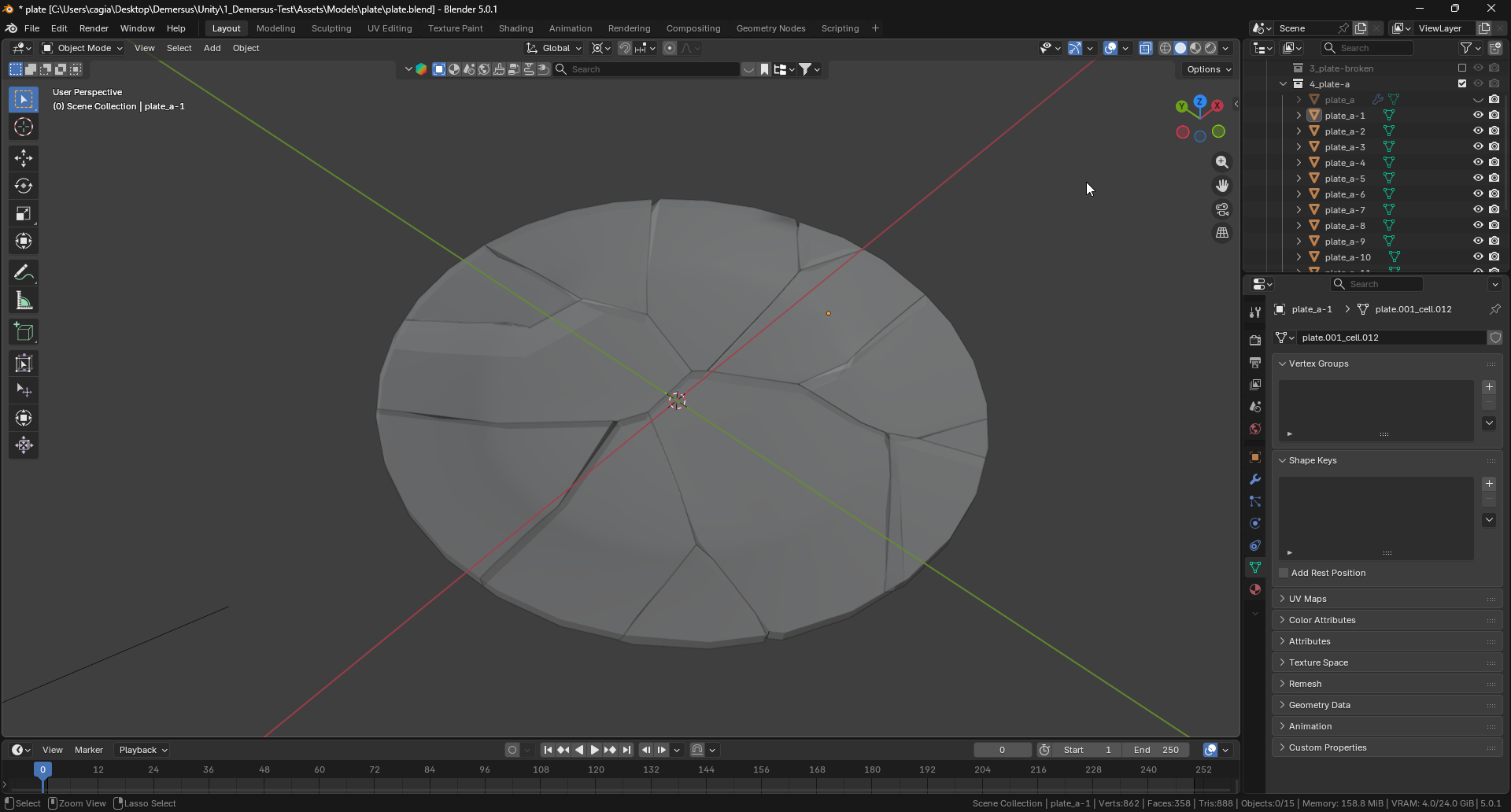
After they get imported in to unity, they get placed in the Distractions parent element:
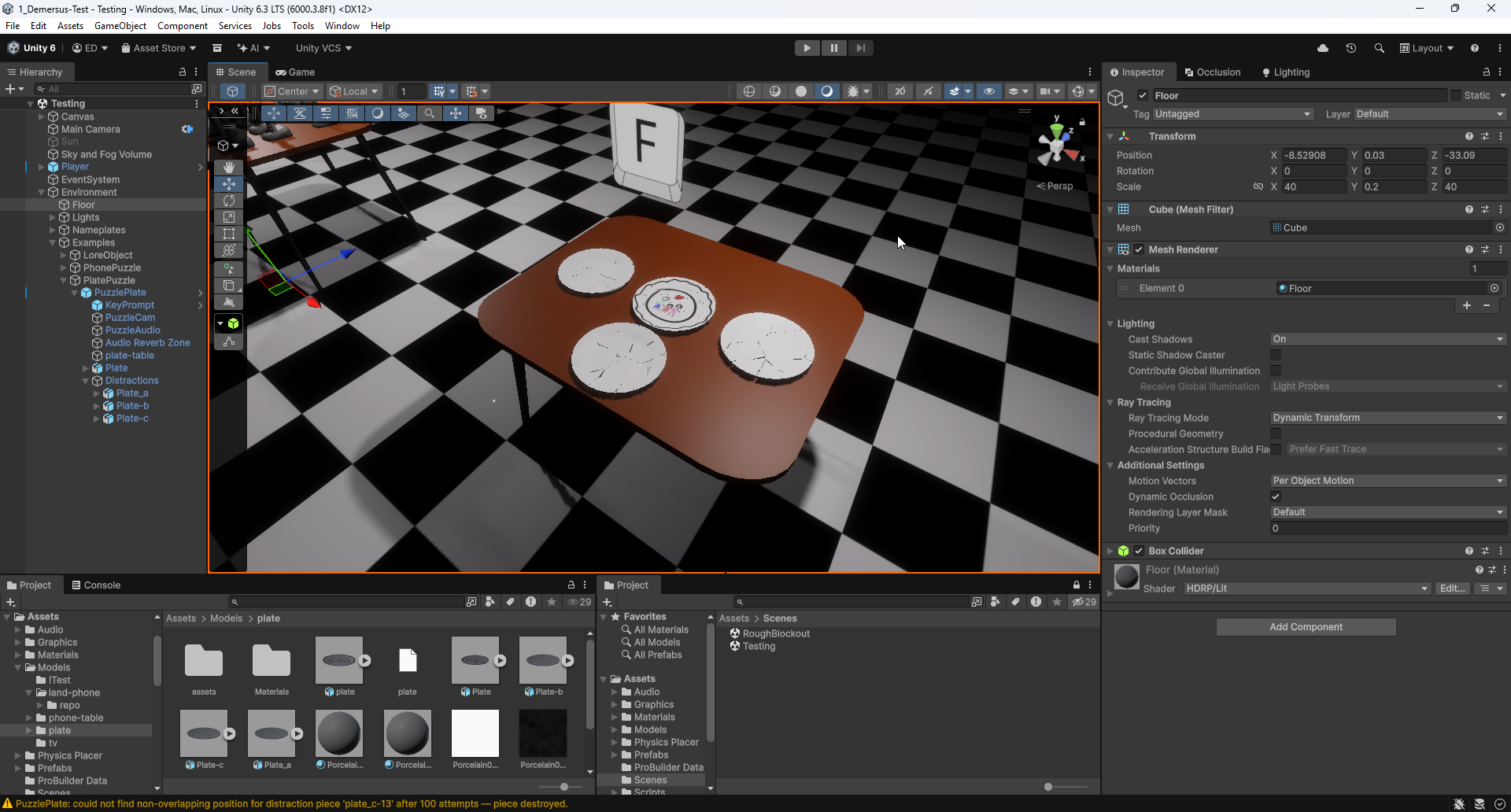
The script then takes all of the available distraction pieces and scatters them around the same way as the original plate pieces, with the exception that if the amount of re-tries runs out, they get deleted as they’re not critical for the puzzle to get completed and are essentially just decorations.
The Final Result
I did get some feedback right before finishing up and added this quick and dirty ‘guide’ to signal to the player that they need to complete the plate (this will of course be swapped out in the near future for a more appealing solution):
Fixing the Elusive Standalone Build Bugs
I have to admit I’m guilty of testing in the editor pretty much all the time, meaning I rarely check the standalone builds and because of that, after sending a build to my bud we noticed that both mouse clicks (this one was localized to the plate puzzle) and hover outline were not working.
Even though, these might seem innocuous enough, they (and especially the outline) quickly became one of the hardest, most frustrating and elusive bugs I ever had to hunt down (to the point, where the whole ordeal took about two days).
I’m aware, I’m extremely new to game development, but I’d really like for someone to tell me how in the hell does it make any sense, to design a game engine, in a way where things work normally in the editor, and then not work in the release build but sometimes work in the development build? I feel like if these behaved the same way and caused issues across the board, they’d be way easier to track down (especially the outline bug).
But hey, what do I know, right?
Plate Puzzle Click Bug
Initially I though this must’ve been caused by some issue with the ray casting (for example the wrong camera being used), or maybe some weird bug in the logic. I couldn’t get to the bottom of it for quite a while, but then I finally decided to try a development build and lo and behold:
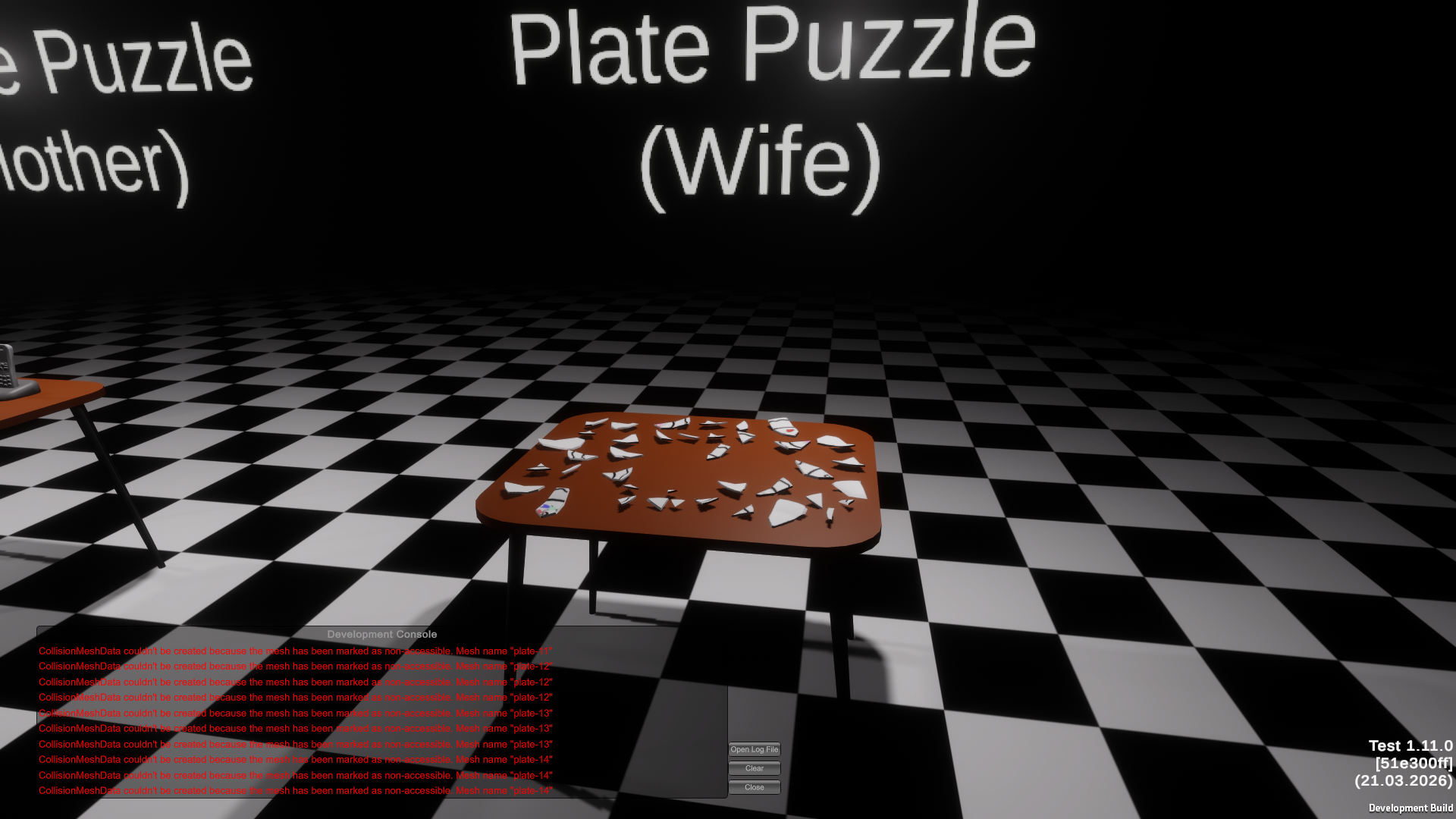
Wild stuff. I have no idea, how this is supposed to be logical. The mesh colliders are being created just fine in the editor, so what gives?
Later on I found out that this supposedly happens, because Unity, (for performance reasons), strips out mesh data from CPU memory when building (it uploads it to the GPU). The editor doesn’t, so everything works fine there. The physics engine, however, does its collision “cooking” (building spatial structures for raycasts, contact detection, etc.) on the CPU, so when it goes looking for the mesh data at runtime, it simply isn’t there.
Enabling Read/Write on the FBX tells Unity to keep a CPU-accessible copy of the
mesh data, so physics (and therefore ray casts) can do their job.
Outline Shader Bug
This one… this one was something else, golly…
The puzzle piece outline effect, on a HDRP DrawRenderersCustomPass, worked perfectly
in the editor but completely broke in standalone builds. No errors, warnings or anything.
Just silence.
I did a huge amount of research, grasping at whatever I could find, I:
- ruled out the usual shader stripping
- messed around with
#pragma only_renderers - changing graphics APIs
Nothing helped or even changed anything.
Then I tried to narrow it down using debug returns (adding hard-coded colors to both
of the shaders) and surprisingly, that worked in both the editor and release build!
However, the hovering was still broken. The editor showed red over puzzle pieces, standalone
showed solid blue, meaning the buffer was empty. That pointed the finger at
DrawRenderersCustomPass.
And finally, by accident I found out the real reason turned out to be hidden in plain sight:
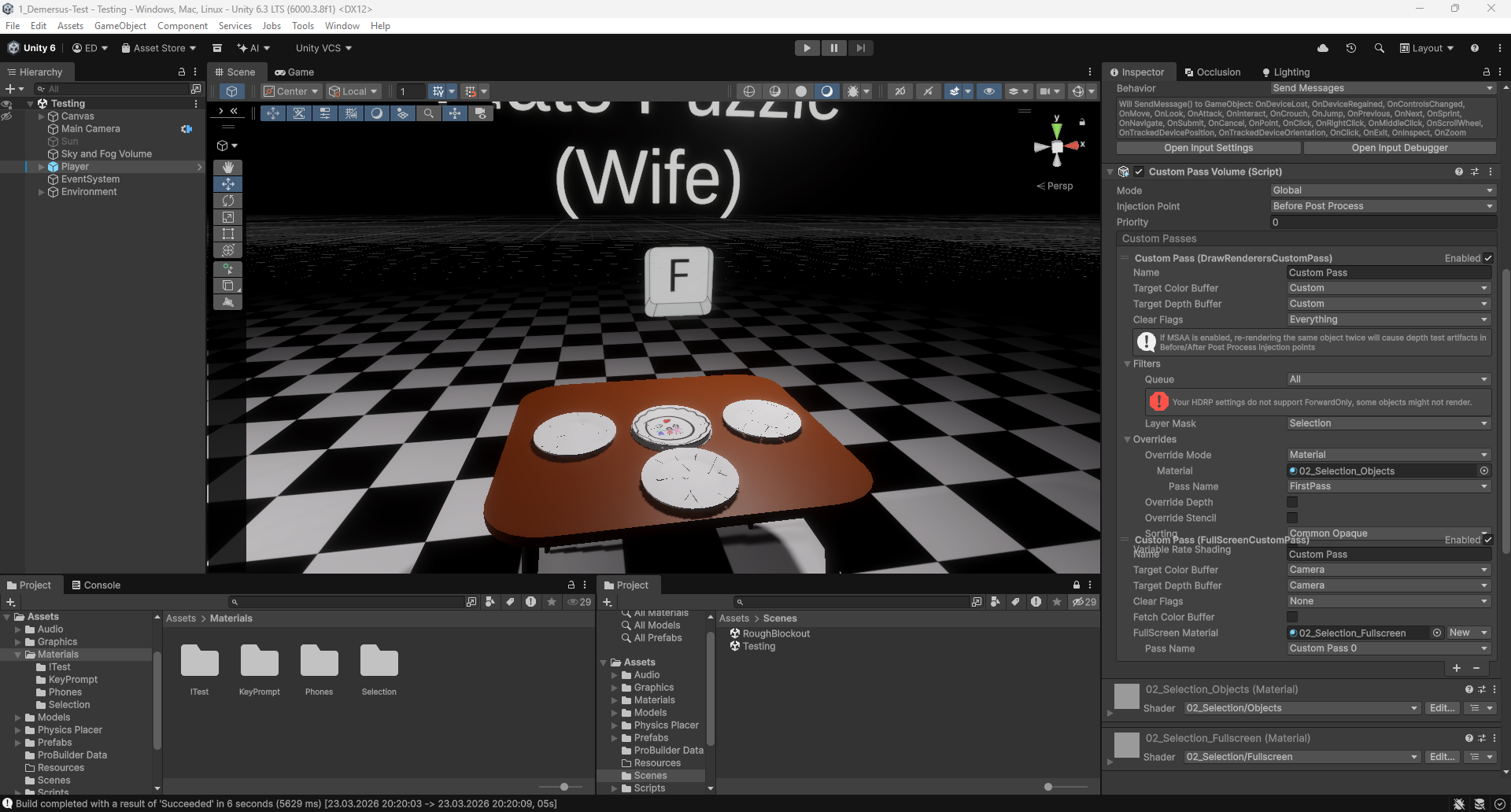
The HDRP quality asset had Lit Shader Mode set to Deferred Only. In a deferred-only
build, HDRP strips the Forward pass from Lit shaders. But DrawRenderersCustomPass filters
renderers by looking for objects with passes tagged "Forward", "ForwardOnly",
"SRPDefaultUnlit", or "FirstPass", so with Forward stripped, the renderer list came
back empty, nothing got written to the buffer, and thus no outlines. Zero errors, because
technically nothing went wrong.
This is all fine and dandy, but why the hell, back when I was implementing this while working on the phone puzzle this worked fine in the editor?! If it wouldn’t I would have to find a solution right there and then and all of this could be avoided. I even remember looking at this error and thinking to myself “oh well, I guess it works, so that’s not really an issue, is it?”. I don’t know, maybe my lack of graphics pipeline knowledge is showing but I find this sort of approach to doing game engine UX completely atrocious.
The quick and dirty fix I devised was changing the HDRP asset’s render mode:
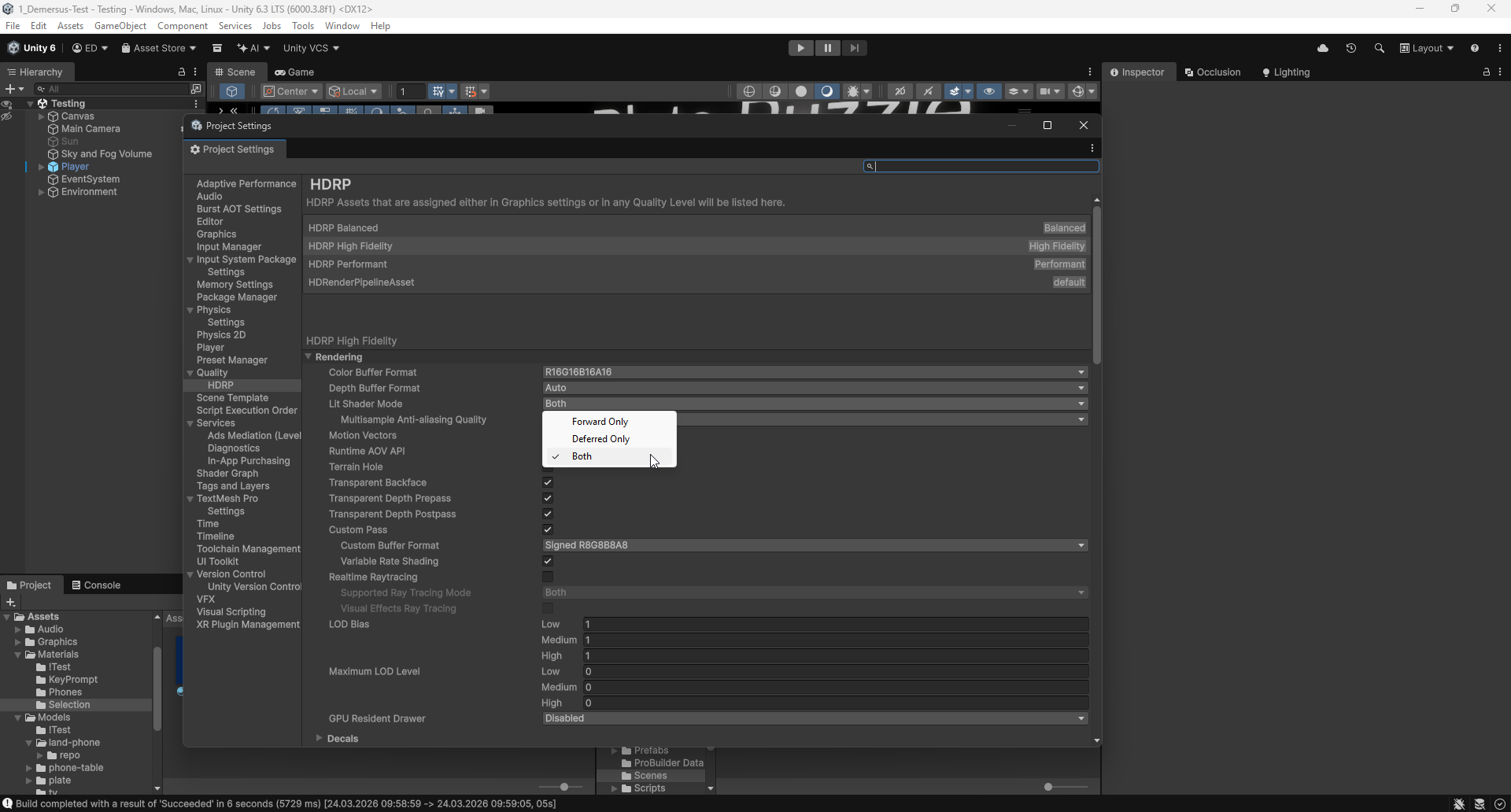
I’m not going to lie, my approach here is very simplistic (to put it mildly). After
doing some research I found out that Both’s trade-offs are: larger builds and
longer build times. But that isn’t really the most important, in this case performance
is what matters most. So, I did a rough test checking how much the frame rate dips during
the phone puzzle (which has a bunch of dynamic lights and therefore is a good ‘stress
test’), and the numbers were pretty clear:
| Mode | Lowest FPS |
|---|---|
| Deferred | 285 |
| Forward | 263 |
| Both | 288 |
Forward had the biggest dip (~22 FPS), while Both matched (or even slightly exceeded -
though that’s within margin of error) Deferred with no meaningful penalty (at least
seemingly). So for now, we’re going with Both.
It’s worth noting that, this should probably be fixed at the source (most likely the shader itself), However, I’m not knowledgeable enough in shader programming and graphics pipelines to know how to do that right now.
First IRL Asset Tests
Because I’m busy with implementing the MVP I didn’t really have time to sit down, create and test a pipeline for our ‘IRL’ asset creation. However my bud started doing some initial modeling already and has taken an approach of intentional lower poly modeling (what I mean by that is high detail but not literal trillions of polygons) combined with Blender’s PBR materials and created a test banker lamp model:
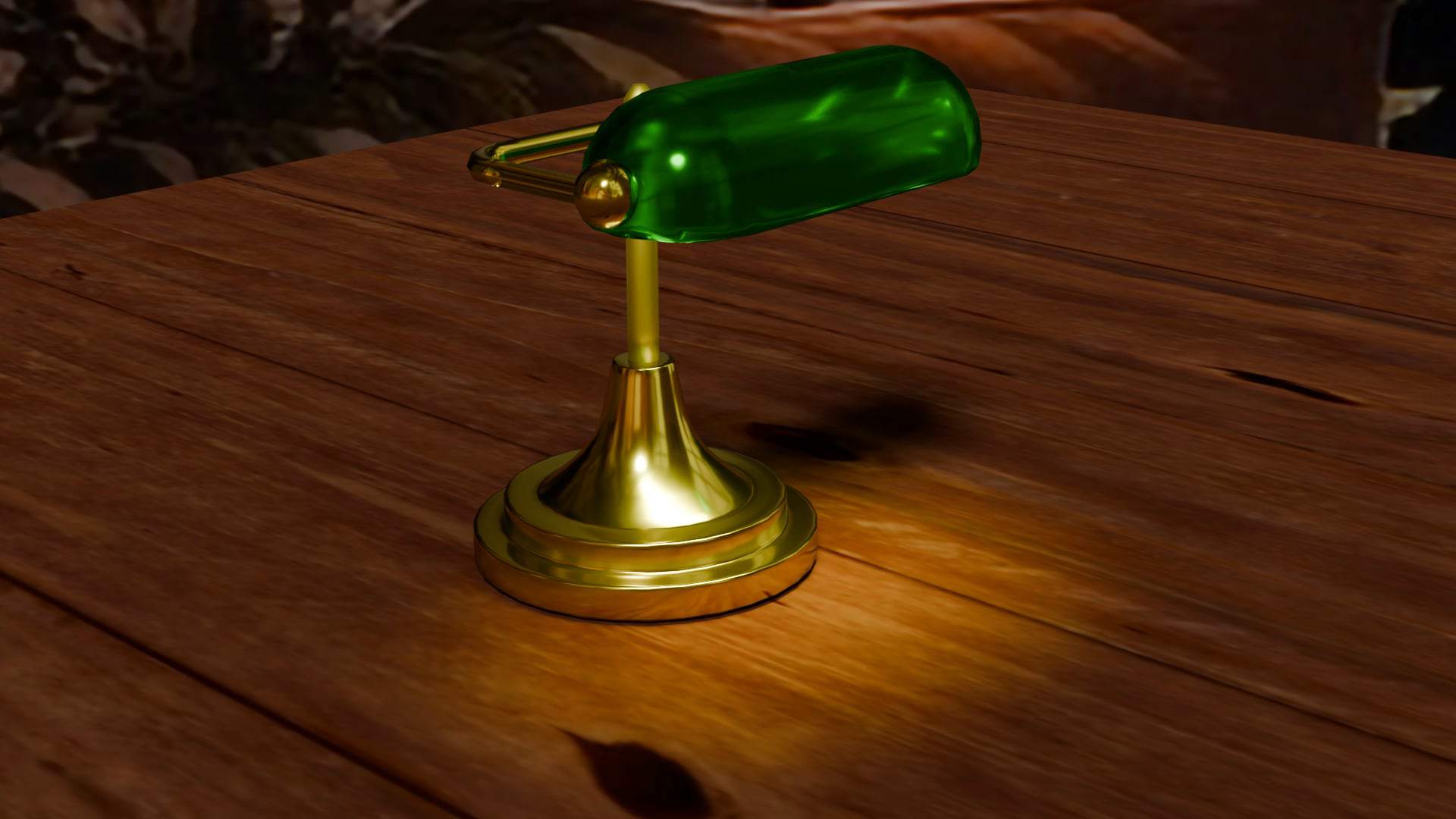
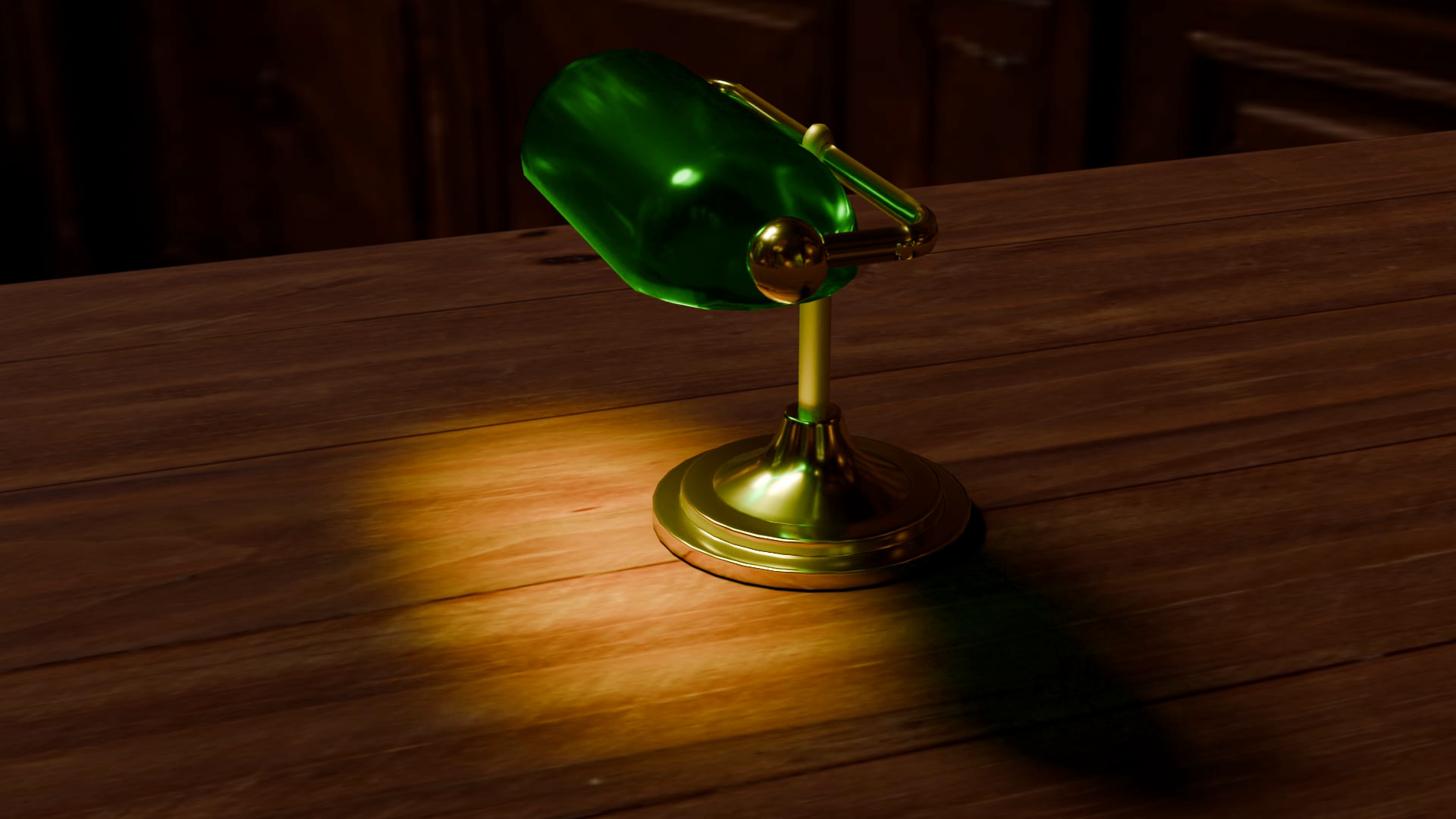
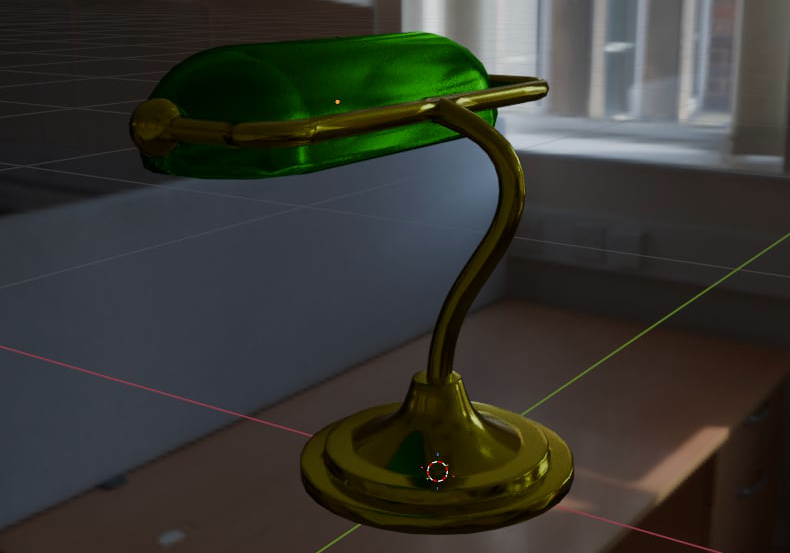
This looks very promising, but because I’m currently very busy with the MVP, I’ll have to come back and have a proper look at this and the ‘IRL’ asset pipeline after I’m done.
Lore Inspect Improvements
Smooth Zoom
One thing that stood out to me about the recently implemented Lore Pickup, was the jerky behaviour of the zoom functionality, that’s why I decided to smooth it out in order to get a more polished look and feel:
Debug Display
A simply debug display was also introduced:
Optimization
Small code clean up was done and a minor optimization where the ‘self healing’ of the
lore Game Object under OBJECTS gets stripped out in the release build as the errors
should be fixed manually during development (the healing is just there to not cause issues
when playing around / testing things).
Unity’s Response to the DX12 Bug Report
This is referencing the Unity DirectX 12 stutter issue I’ve had to deal with, which
I wrote about
here
and
here
in the past devlogs. Long story short, I couldn’t figure out or fix the issue myself, so
after posting to the Unity Forum I got a recommendation to simply turn off G-SYNC
for Unity.exe.
I found this to be a more of a ‘patch fix’ than a real one, so I decided to also report the bug to Unity. After a bit of waiting and a very short back and forth, this is the response I got:
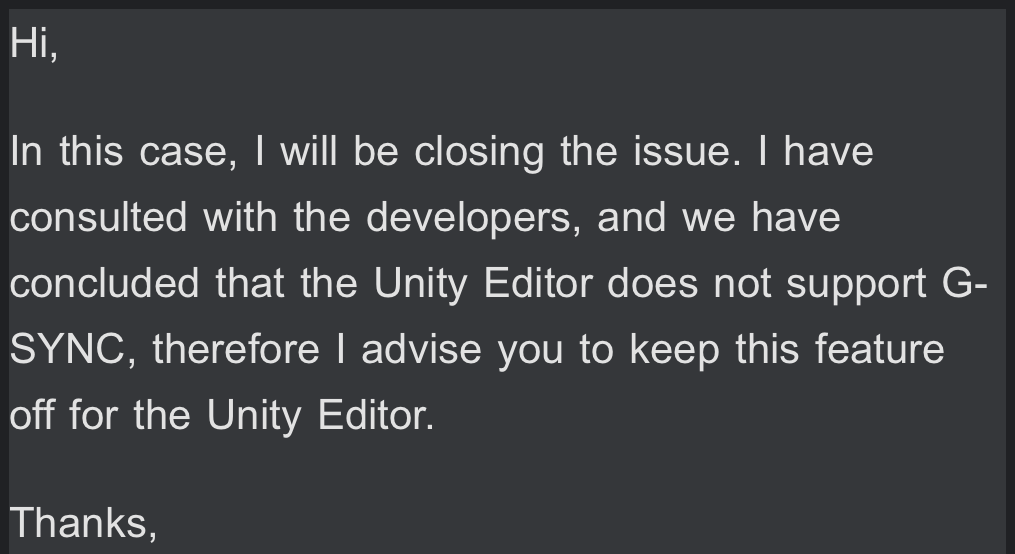
I’m not going to lie, I found this kind of underwhelming and surprising. Over more than half my life of dealing with computers and software I never encountered such a weird issue. This whole thing is even more weird, when you factor in the fact that other graphics APIs in Unity don’t have this problem, but oh well, maybe it’s just a DirectX 12 thing (but then again, it’s not like DX12 is fresh out of the oven, I never experienced issues like this with it earlier so…).
At this point, the only thing I have left is just accepting it as yet another quirk of Unity and just moving on (with G-SYNC turned off that is).
New Milestones
I recently sat down to write a more comprehensive, revised and hopefully final milestone list. Here it is:
- MVP (1 week = 22.03.2026)
- All sequences + lore object pickup
- The playable game (all mechanics and such) without the proper assets / cutscenes / SFX / music and so on.
- Asset creation (3 weeks = 12.04.2026)
- Mocap pipeline
- Human model (Meta Human)
- Human model (Clay + Mixamo)
- IRL assets + pipeline
- Clay assets
- Final level designs
- Lore items
- Mocap animations (cutscenes)
- Mocap animations (player anims + interactions)
- Proper transitions between levels and such
- Music
- SFX
- Voice acting
- Polish (1 week = 19.04.2026)
- Saving
- Post processing
- Final UIs
- Pause menu
- Menu
- HDRP profiles
- Dialing stuff in for the showcase rig
- Optimization
- Final icons / logos
- Splash screens
- Player settings
- Credits
- QA testing
- Presentation (1 week = 26.04.2026)
- Marketing (standee, trailer and such)
- Taking care of things at the university
- Prepping setup
- Prepping presentation*
- Itch.io / Gamejolt (and other) uploads / promo
If we manage to pull this timeline off, we’d be able to finish the whole game with about
26 days to spare (so we’d be done about a month in advance compared to the first out of
three deadlines).
Update: as of 25/03/2026 because of how long the standalone build bugs took to fix (and some personal issues), I’m estimating we’re about 4-5 days behind schedule.
What’s Next
Right now I’m focusing on finishing up the core mechanics of the game and then moving on to creating a playable MVP so we have a fully playable build of the game (without all of the assets, cutscenes and such). My bud is currently trying out modeling some assets for the start cutscene which is set in the real world.
After I’m done with the first of the new milestones, everything gets tested and finalized, we’ll move fully on to asset creation which will take up the most significant amount of time in the whole process.
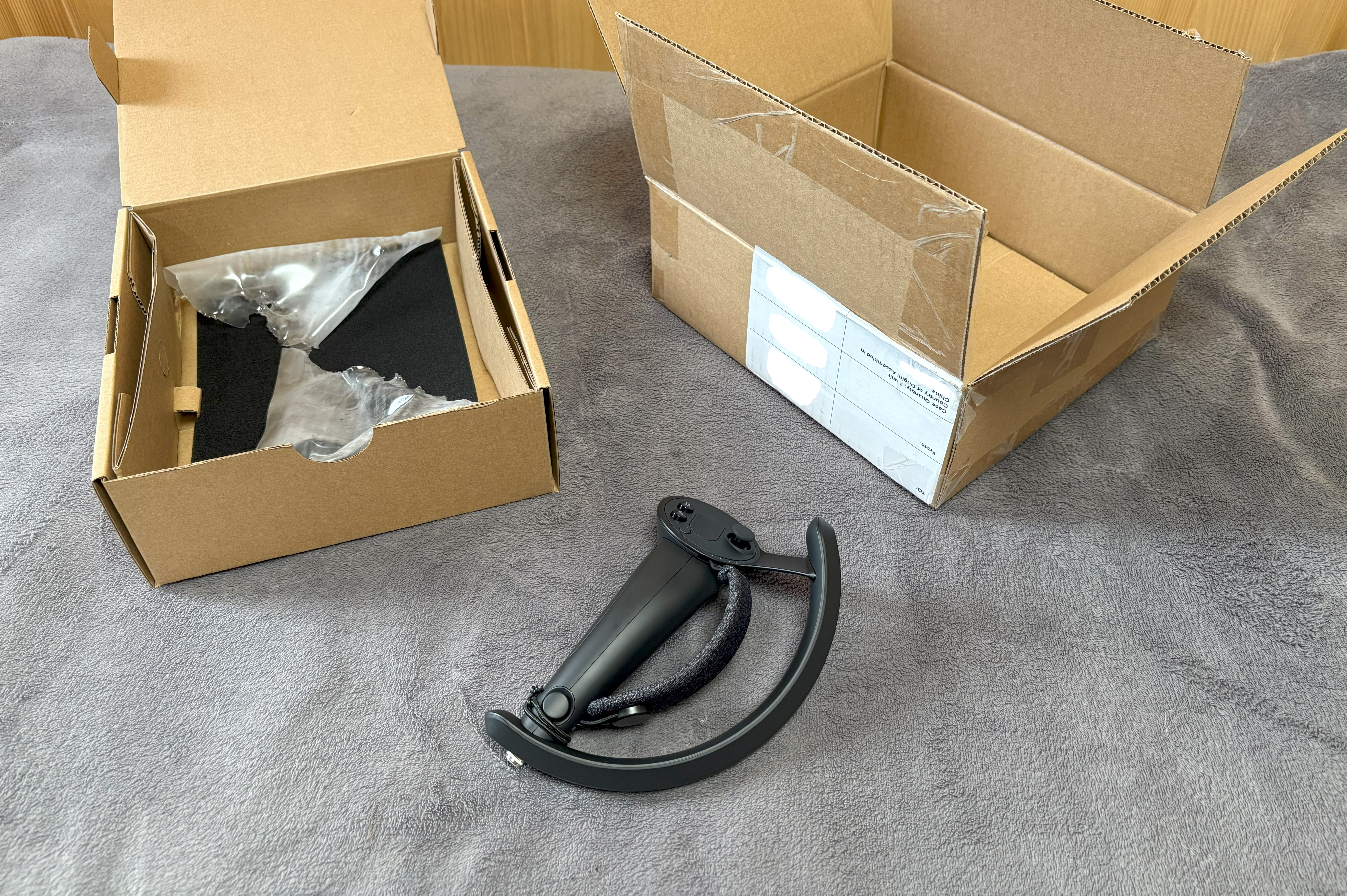
In other news, I recently (19/03/2026) received my new right Index Knuckle controller (I bought a new one as this approach severely reduced the time gap that waiting for RMA would cause and just did RMA in the background):